

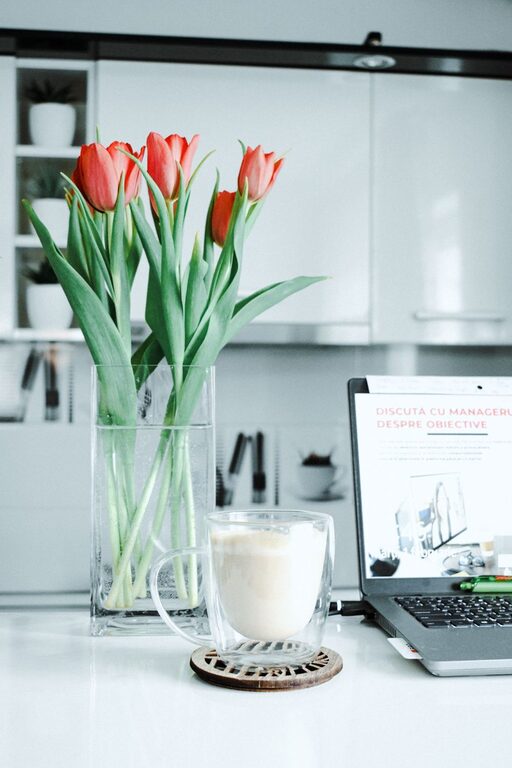
Creating a relaxing home workspace can significantly improve your productivity and overall work experience. When your work environment is comfortable and free of distractions, you’re more likely to stay focused and motivated throughout the day. Whether you work remotely full-time or occasionally, setting up a soothing workspace at home is a valuable investment.
In this post, we’ll explore practical tips for designing a workspace that promotes relaxation and efficiency.
Why a Relaxing Workspace Matters
A comfortable and organized workspace reduces stress and makes it easier to find what you need quickly. When your mind feels calm, you can concentrate better on tasks and maintain steady energy levels. Conversely, clutter or poor ergonomics can make work feel overwhelming and tiring.
By paying attention to your workspace setup, you create an environment where productivity flows naturally.
Choosing the Right Location
The first step is deciding where in your home you’ll place your workspace. Here are some factors to consider:
– Natural Light: Pick a spot with plenty of natural light if possible. It improves mood and reduces eye strain.
– Quiet Area: Choose a location away from high-traffic areas to minimize distractions.
– Ventilation: Good airflow keeps the area fresh and comfortable.
– Space: Make sure there is enough room for your desk, chair, and any additional equipment you use.
If space is limited, consider a corner or a section of a room dedicated solely to work.
Invest in Comfortable and Ergonomic Furniture
Comfort plays a huge role in relaxation. An ergonomic setup helps prevent aches and discomfort that can interrupt your focus.
– Chair: Select a chair that supports your lower back and encourages good posture. Adjustable height and armrests are beneficial.
– Desk: Your desk should suit your work habits and provide enough surface area for your computer, notes, and accessories.
– Monitor Position: The top of your screen should be at eye level to prevent neck strain.
– Footrest: If your feet don’t rest flat on the floor, a footrest can provide better support.
Taking the time to set up your furniture correctly helps create a workspace where you can work comfortably for hours.
Use Soothing Colors and Decor
Colors influence mood and concentration. Choose calm, muted tones like soft blues, greens, or neutrals for walls and decor items.
– Wall Art: Incorporate minimalistic or nature-inspired artwork for a peaceful vibe.
– Plants: Adding greenery can reduce stress and improve air quality.
– Decluttered Surfaces: Keep desk surfaces clean to create a sense of calm.
– Personal Touches: Include meaningful objects or photos that uplift your spirit without causing distractions.
The idea is to create a visually pleasant environment that feels welcoming but doesn’t divert your attention from work.
Organize and Minimize Clutter
Clutter drains mental energy and can make it difficult to focus. Implement systems to keep your workspace tidy:
– Storage Solutions: Use drawers, shelving, or organizers to store supplies and papers.
– Digital Organization: Keep your computer desktop and files well-organized.
– Daily Clean-Up: Take a few minutes at the end of each day to clear your workspace.
A neat space allows your mind to feel at ease and ready for work.
Control Lighting and Reduce Glare
Proper lighting is essential for comfort and productivity:
– Task Lighting: Use desk lamps to provide focused light for reading or paperwork.
– Adjustable Lighting: Soft, adjustable lighting helps prevent eye fatigue during late hours.
– Screen Glare: Position your monitor to avoid glare from windows or overhead lights, or consider an anti-glare screen.
Good lighting reduces strain and helps maintain alertness.
Limit Noise and Distractions
Background noise can hinder concentration. Here are ways to create a quieter environment:
– Noise-Canceling Headphones: Useful if your home is noisy.
– Soundproofing: Use rugs, curtains, or door seals to reduce noise.
– Calming Sounds: Play gentle background music or white noise to mask disruptive sounds.
Minimizing interruptions lets you stay in the flow longer.
Incorporate Break Areas and Movement
Sitting for long periods can be tiring and counterproductive. Include strategies to maintain physical and mental well-being:
– Stand-Up Desk Options: Consider a standing desk or a desk converter.
– Stretch and Move: Set reminders to stand, stretch, or walk around regularly.
– Relaxation Corner: Create a small nearby area with a comfortable chair for short breaks or reflection.
Taking breaks in a relaxing spot within your workspace fosters better focus when you return to work.
Personalize Your Workspace Thoughtfully
Add personality to your workspace without overcrowding:
– Scent: Use essential oils or candles with calming scents like lavender or eucalyptus.
– Inspirational Quotes: Place subtle reminders that motivate you.
– Comfort Items: Include a soft blanket, cushion, or a favorite coffee mug.
Personal touches make working from home more enjoyable and less clinical.
Final Thoughts
A relaxing home workspace supports both productivity and well-being. By choosing the right location, investing in ergonomic furniture, managing lighting, reducing clutter, and adding calming decor, you can create an inviting environment that keeps you focused and motivated.
Remember, the best workspace is one that suits your needs and encourages both comfort and efficiency. Take time to experiment, adjust, and personalize your area until it feels just right. Happy working!